
Carrd is a fantastic tool for creating clean, responsive websites that look great on any device. As a website and graphic designer, I often use Carrd to build websites for small businesses, helping them achieve a professional online presence without breaking the bank. If you need a small website for your small business with services information, location, hours, and contact form, no blog/ eCommerce – Carrd is a great solution for you.
One of the many benefits of Carrd is its flexibility, especially for those new to managing their own websites. In this post, I’ll guide you through a handy tip: how to turn off a section from displaying online. This is particularly useful if you want to manage seasonal content or promotions efficiently.
Why Carrd is Great for Small Business Websites
Carrd is an excellent choice for small business websites for several reasons:
- Ease of Use: Carrd’s user-friendly interface makes it easy for anyone, even beginners, to create and manage a website. And I mean easy to use. My recent client was extremely surprised that she was able to edit the text on the website I had created for her. I did spend some time training her (I believe good training should be standard with a website handoff). The next day, she happily texted me that she made a few text changes on the website. Carrd is totally for the non-techy person who wants a website that they can update themselves.
- Flexibility: It allows for a high degree of customization, so you can tailor your website to fit your business needs perfectly. Need to put in images? Sure! Need a slideshow? Sure! Need to put in social media links / video / contact form? Sure! Carrd’s got most common website needs covered. No need for additional plugins, security updates, and monthly maintenance.
- Affordability: With its competitive pricing, Carrd provides a cost-effective solution for professional websites. Want to get your website online on a small budget? Yes, it’s possible. Hosting your website with Carrd is only $49 for a year. Yes, you read that right. For the year!
- Set it and Forget it: I have clients that are busy business owners. They need a professional website that represents their brand. They need a way for people to contact them online through a contact form. But once they’ve set these things up, they don’t have time to do any monthly maintenance. The best part about Carrd that I tell my clients about is that, it’s a great set it and forget it option. Take the time to create a good website (or you can have me set one up for your business) and then let it do its thing. No maintenance needed. It’ll work as intended for as long as you need it to.
As a website designer, I also create websites for clients in WordPress. I always advise my clients, if you’re getting a WordPress website, you also have to commit to maintaining it regularly with security updates etc. The two go hand-in-hand, if you’re not able to or just don’t have the time to maintain your WordPress website, I advise my clients to opt for my static website service.
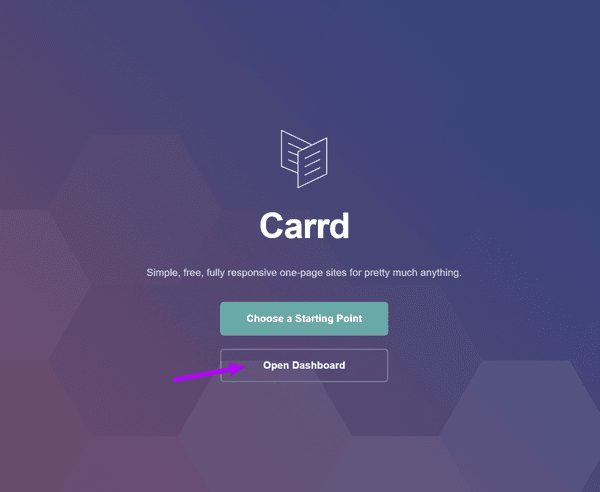
Edit your Website
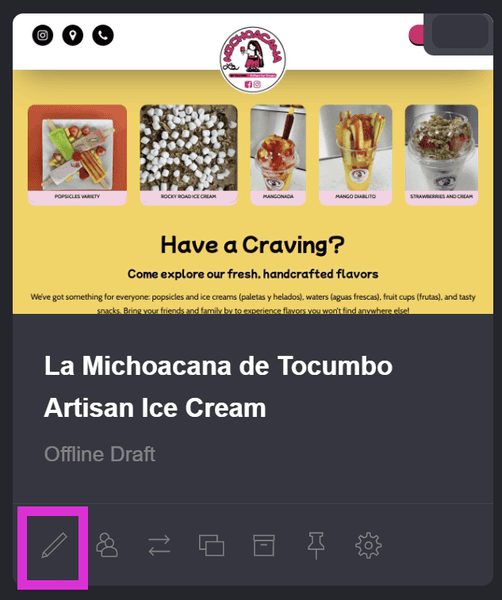
Click on the pencil icon to edit your website
Ready to customize your Carrd landing page?
These short video tutorials will walk you through each step.
- Carrd Toolbar Explained: Learn how to navigate the toolbar, save your site, and use the undo button.
- Resize and Optimize Photos for Web: Prep your images before uploading to boost site speed and performance.
- Editing Photos in Carrd: Swap out gallery and embedded images, and update titles, captions, and alt tags.
- Editing Text in Carrd: Update headlines, descriptions, and bullet lists with ease.
- Show or Hide Sections in Carrd: Temporarily turn sections on or off — perfect for seasonal promos.
- Edit the Reviews Section in Carrd: Add new testimonials, edit existing ones, and create additional rows.
